SaluSpa Blinking Red Light: What It Means & What to Do
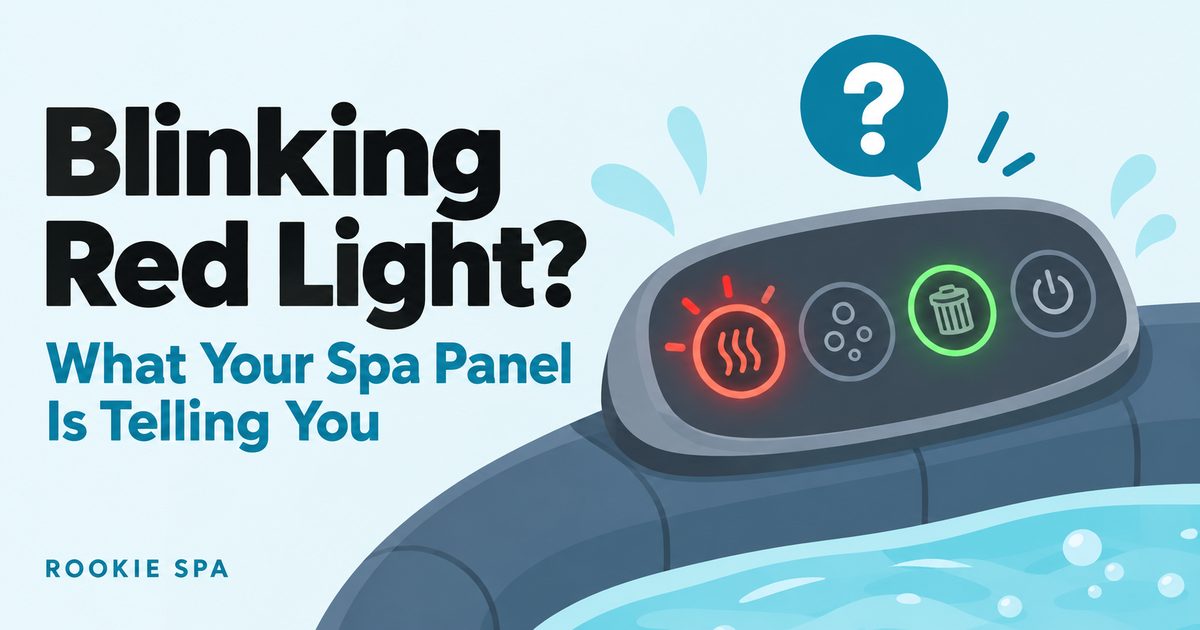
On the SaluSpa AirJet Plus control panel, a red light above the heat, filter or massage button just means that function is on: the heat light is red while heating and turns green at your set temperature. The blinking Bestway’s manual documents is temperature adjustment, timer programming or Wi-Fi status. A blink the manual doesn’t explain, a code on the display, or a GFCI plug that fails its test means stop and diagnose.
Which pump this covers. Everything in the table below comes from Bestway’s owner’s manual for the Vancouver and Milan, which use the SaluSpa AirJet Plus pump (S100205) with Smart Hub Wi-Fi. If your tub has an older Coleman or classic AirJet pump with a physical button panel, its lights may work differently. Don’t read one pump’s chart onto another: check the manual for your exact pump, or ask Bestway support.
Safety note: check your pump against the 2024 recall. In September 2024 the U.S. Consumer Product Safety Commission announced a recall of about 866,000 Bestway AirJet and HydroJet spa pumps sold with SaluSpa, Coleman and Hydro-Force spas from May 2021 to May 2024, because they can overheat and catch fire (recall 24-359). Before troubleshooting anything below, read the model number on the label on the side or back of your pump. The recalled models are P05332, P05339, P05711, P05807, P07000, P07001, P05511, P07034 and P07572. If yours is one of them, stop using it and follow the CPSC recall notice or Bestway’s recall page for a free replacement or a refund. The SaluSpa pump recall guide walks through the label check and what to do next.
First: which light is blinking?
“Red light” covers at least four different lights on these tubs, and they don’t mean the same thing. Find yours here:
| Light | Steady | Blinking | Manual page |
|---|---|---|---|
| GFCI plug (on the power cord) | Turns red when you plug it in; goes off when you press TEST; red again after RESET = ready to use | Not described | p. 13 |
| Heat button | Red = heating system on. Green = water at your set temperature, heater resting | Not described | p. 15 |
| Filter and massage buttons | Red = that function is on | Not described | p. 16 |
| ON/OFF button | Green = control panel active | Not described | p. 16 |
| Temperature display | Shows the temperature | Flashing = you’re adjusting the set temperature. After you program the timer, it alternates between temperature and time | pp. 15–16 |
| Power-saving timer LEDs | Duration LED on = the timed heating has started. Delay LED on = timer set | Flashing = you’re setting the heating duration (duration LED) or the start delay (delay LED) | p. 16 |
| Wi-Fi indicator | On = connected to your router | Slow = waiting to connect (ready to pair). Fast = lost Wi-Fi signal. Off = the light or the Wi-Fi module has a problem | p. 24 |
| Lock icon | Lit = panel locked (it auto-locks after 5 minutes) | Not described | pp. 15, 23 |
Two honest footnotes. The manual never says what color the Wi-Fi light or the lock icon is, so I won’t tell you they’re red. And the big one: this manual doesn’t document a “blinking red = fault” indicator anywhere. Its alarms show up as codes on the display (p. 25). That doesn’t prove a red blink can never mean trouble on your pump; it means the manual doesn’t describe one, and I’m not going to invent a meaning for it. If what you see isn’t in the table, don’t guess: check the display for a code, run the reset steps below, and test the GFCI plug.
Is a red heat light a bad sign?
No. On this panel it means the heater is working. Owners often read a red heat light as a fault, or start worrying when it won’t turn green, but the manual is plain about it: “When the light above the heat button is red, the heating system is activated. When the light is green, the water is at the set temperature and the heating system is at rest” (p. 15).
Bestway’s online FAQ fills in the rest of the cycle: switch heating on and the heat and filter buttons both turn red; at the set temperature the heater stops and the light turns green; when the water drops “approximately 2 degrees” below the set temperature, heating restarts and the light goes red again. A heat light that flips between red and green over the day is the thermostat doing its job.
If the light never turns green, the water hasn’t reached your set temperature yet. Two things to check:
- What you actually set. The default is 95°F, and the range is 68–104°F (p. 16). If the tub stalls in the mid-90s anyway, see won’t heat past 95°F.
- How long it’s been. These heaters are slow: Bestway lists 2–3°F per hour for the Vancouver and Milan (pp. 9–10), and says the rate may change when it’s below 59°F outside or the cover is off (p. 16). The realistic wait is in how long a SaluSpa takes to heat up.
Red light on, but the heater keeps cutting out?
Owners who describe a red light plus a heater that shuts off within seconds often trace it to water flow: a dirty or over-tightened filter, or air trapped after a refill. Treat that as an owner pattern, not a diagnosis; the manual doesn’t connect the light to the cut-out.
What the manual does say is that when the flow sensors can’t detect water flow during filtering or heating, the pump raises an alarm, and it lists the causes: stopper caps left in, dirty cartridges, a blocked filter, bent pipes or poor flow through the liner’s pipes, debris screens clogged with scale, worn washers, and a broken water pump or broken flow sensors (p. 25). On this pump that alarm is E02, and the E02 fix checklist works through those causes in order.
What does the red light on the plug mean?
A steady red light on the GFCI plug is normal. It means the plug has power and, after a successful test, that the spa is ready (p. 13). The manual wants that test run before every use (pp. 4, 13):
- Plug the GFCI into the outlet. The indicator turns red.
- Press TEST. The indicator goes off.
- Press RESET. It turns red again and the spa is ready for use.
If it doesn’t behave like that, the manual leaves no room for interpretation: “Do not use the pump if this test fails” (p. 13). A failed test can mean “a ground current flowing indicating the possibility of an electrical shock,” so disconnect the power “until the fault has been identified and corrected” (p. 4). The troubleshooting table files “GFCI test failed” under “There is a defect in your spa” and points you to Bestway support (p. 23).
If the pump won’t run at all, the manual’s “pump does not operate” row lists a power failure or a broken GFCI: check the power source, then contact support (p. 23).
Newer Bestway pumps can also show ground-related codes that aren’t in this manual. Bestway’s own error-code guide (December 2023) says E18 means “Electricity has been detected from the grounding wire” and GCF means “The ground connection has failed.” Either one, like a GFCI that fails its test, is a stop sign, not a puzzle (GCF and E18, step by step).
Electrical safety, no exceptions. If the GFCI fails its test or you see E18 or GCF, stop using the spa and bring in a qualified electrician or Bestway support. Don’t bypass or swap the GFCI plug, don’t rewire anything, and don’t run the pump from an extension cord or multi-plug adaptor: the manual warns those can overheat the plug, and the spa must be connected directly to a grounded socket (p. 13).
Could a blinking light mean my pump is recalled?
No light can tell you that. The 2024 recall is decided by the model number on your pump’s label, not by anything the pump displays. Worth knowing: the parts list in the Vancouver/Milan manual shows the pump unit as P05339, one of the recalled numbers (pp. 9–10). Pumps get replaced, though, so the label on your pump is what counts.
The recall hazard, per the CPSC, is that affected pumps can overheat and their plastic housing can catch fire. So whatever the lights are doing, if the pump seems abnormally hot, smells like burning, or shows scorched or deformed plastic, unplug it if you can do so safely and stop using it. That’s my safety call, not a line from the manual.
How do I reset the SaluSpa control panel?
Before you assume a fault, run the manual’s “Control panel not working” steps in its order (steps 1–3, p. 23), then the checks that follow:
- Lock icon lit? The panel auto-locks after 5 minutes of inactivity. Hold the lock button for 3 seconds (pp. 15, 23).
- Still locked? Restart the pump: unplug it and plug it back in (p. 23).
- Buttons not responding? Hold ON/OFF for 2 seconds. Its light should turn green (pp. 16, 23).
- Test the GFCI plug as above (p. 13). If it fails, stop there.
- Code on the display? Look it up in the SaluSpa error codes table.
- Still something the manual doesn’t explain? Contact Bestway support (bestwaycorp.com/support) with the model number from your pump’s label.
For every other reset, by pump: how to reset a SaluSpa.
FAQ
My Coleman’s panel doesn’t look like this. Does the chart apply? Maybe not. Older Coleman and classic AirJet pumps with physical buttons aren’t covered by the S100205 manual, and I’d rather send you to the right document than guess. Find the model number on the pump’s label and get that pump’s manual, or ask Bestway support.
Why is my heat light red but the water is still cold? Because red means “heating,” not “hot.” Bestway’s reference table puts 68°F water at about 20 hours to reach 104°F, with the cover on (p. 17).
Why is my Wi-Fi light flashing fast? The pump has lost the Wi-Fi signal, so check your router (p. 24). A slow flash just means it’s waiting to connect. Also worth knowing: the pump pairs only with 2.4 GHz networks. The manual says 5 GHz networks are not supported (p. 24).
Does a blinking light mean an error code? Not according to this manual: alarms show as codes on the display (p. 25). One trap: the note “Press any button to remove alarm and continue to use the spa” sits in the Wi-Fi row of that table (E15). It isn’t a way to clear an E02 or an E08.
Which light was blinking on yours, and what turned out to be behind it? Tell me. Reader reports are how this page stays useful for the next owner staring at that panel.

Jake Weber — Jake Weber is the pen name of Rookie Spa’s editor. I don’t sell spas or chemicals, and I’m not affiliated with any brand. Every guide here starts from the manufacturer’s manual, is cross-checked against the questions and fixes owners report most often, and is written in plain English for first-time owners — with a clear warning whenever something involves electricity or water safety.